
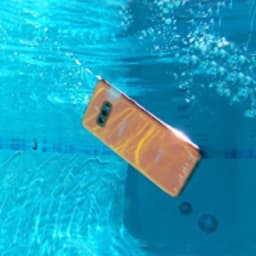
Screenshots
About Water Resistance Tester
Water Resistance Tester lets you verify whether your smartphone's seal remains intact and can withstand water exposure. The app uses your device's built-in barometer to measure pressure changes, giving you reliable insight into your phone's waterproofing condition.
Getting started is straightforward. The app walks you through each step of the testing process. You'll place your thumbs on designated screen marks to activate the analyzer, which then measures whether your device maintains a proper hermetic seal. Within moments, you'll have a clear answer about your phone's water resistance.
A smartphone's seal can degrade over time—from everyday wear and tear, accidental drops, or simply aging components. Water Resistance Tester catches these changes before they become problems. Rather than risk water damage by guessing, you can now test your device's actual capacity to handle moisture exposure. This is especially useful if you've owned your phone for a while and want to confirm it's still safe for use around water.
Anyone planning to use their phone near water—whether swimming, showering, or working in humid environments—will benefit from checking their device's current condition first. The app eliminates uncertainty by providing a concrete measurement rather than relying on manufacturer ratings alone, which may not account for wear and age.
Water Resistance Tester requires Android 6.0 or higher and a smartphone with a barometer sensor. The test itself takes only seconds, making it quick and convenient to run whenever you need confirmation before exposing your device to water. Download Water Resistance Tester today and make informed decisions about when and where your phone can safely go.
Pros & Cons
Pros
- Uses built-in barometer to measure actual seal degradation over time
- Test completes in seconds with clear pass/fail result
- Helps prevent water damage by confirming safety before exposure
- Simple step-by-step process requires no technical knowledge
Cons
- Only works on Android 6.0+ devices with a barometer sensor
- Results depend on barometer accuracy, which varies by phone model
- Cannot diagnose specific seal damage location or repair options
- Test may give false results if device temperature has recently changed
Related Apps

Microsoft PowerToys
Windows utilities and productivity tools — enhance your workflow with system tools, window management, and file preview features.

Windows Essentials 2012
Email, messaging, photo editing, video creation, and cloud storage—Windows Essentials 2012 includes all the productivity tools you need.

Free Download Manager
Download manager that speeds up transfers, organizes files by type, and syncs with Firefox and Chrome.

HWiNFO
Hardware monitoring for Windows—track CPU temp, GPU load, fan speed, voltage in real time.

TransMac
Read Mac drives and DMG files on Windows. Access APFS/HFS+ storage and create disk images.

TestDisk & PhotoRec
Recover lost files and repair disk partitions — free open-source data recovery tool for Windows.
Latest Articles

Play a free Color Ball Sort Puzzle-style game in your browser (no download)
Oct 6, 2026

Play a free Beach Buggy Racing-style kart racer in your browser (no download)
Oct 6, 2026

Play a free Alto's Adventure-style game in your browser (no download)
Oct 6, 2026

Free online whiteboard like Jamboard: use Quickboard in your browser, no signup
Oct 6, 2026

Free online running pace calculator: splits, race predictor and daily challenge, no download
Oct 6, 2026